For charter school networks

Every campus, every repair,
every dollar, on the record.

Cantera runs facilities operations for networks of schools: work orders, vendors, purchasing, compliance and capital projects in one place, set up for your state, your approval rules and your board.

No sign-up. The demo runs on a fictional 26-campus network.

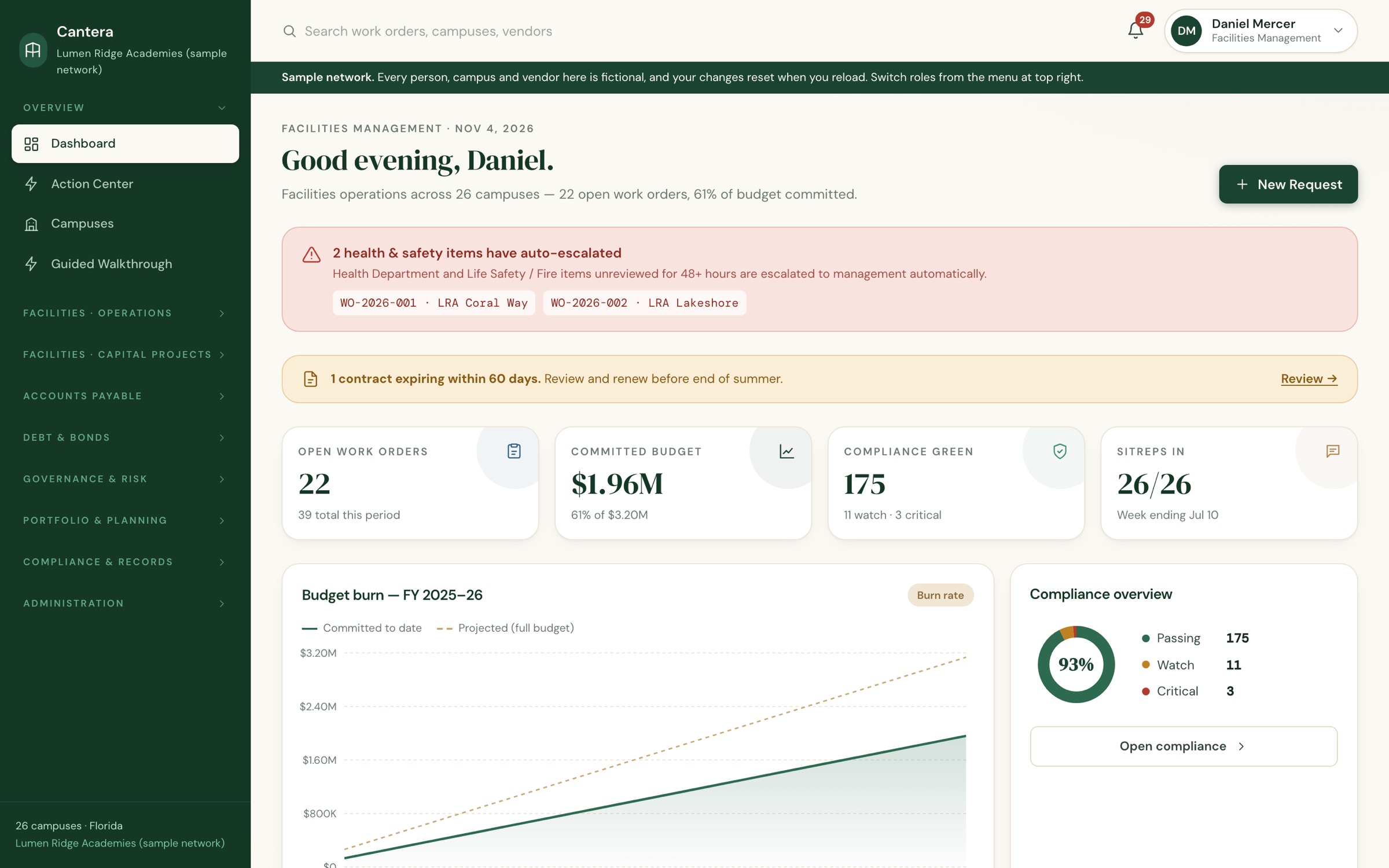
Cantera dashboard showing open work orders, committed budget, compliance status and auto-escalated safety items across 26 campuses

Why “Cantera”

A cantera is the quarry a building’s stone is cut from. In Spanish, la cantera is also where a club or a school raises its own talent. The buildings, and the people they’re for.

The problem

The work gets done. The record doesn’t.

Requests scatter

Calls, texts and emails to whoever answers. Nothing says who owns a broken chiller, or whether a fire-alarm fault has been looked at since Tuesday.

Money moves before approval

Vendors start on a phone call. Quotes aren’t comparable, the PO comes afterwards, and Finance meets the bill for the first time when it arrives.

Certificates live in binders

The inspection happened, but the certificate is in a vendor’s inbox. For an auditor, “not on file” and “not done” are the same answer.

Work orders

One front door, and nothing goes quiet

Every request starts as a work order and gets a named owner. Triage sends it down the right lane: a quick campus fix, a dispatched repair, or a capital project that keeps the same number.

  • Health and life-safety items escalate automatically if nobody reviews them in time
  • Photos, scope and access limits captured at intake
  • Campus status reports roll up across the network every week
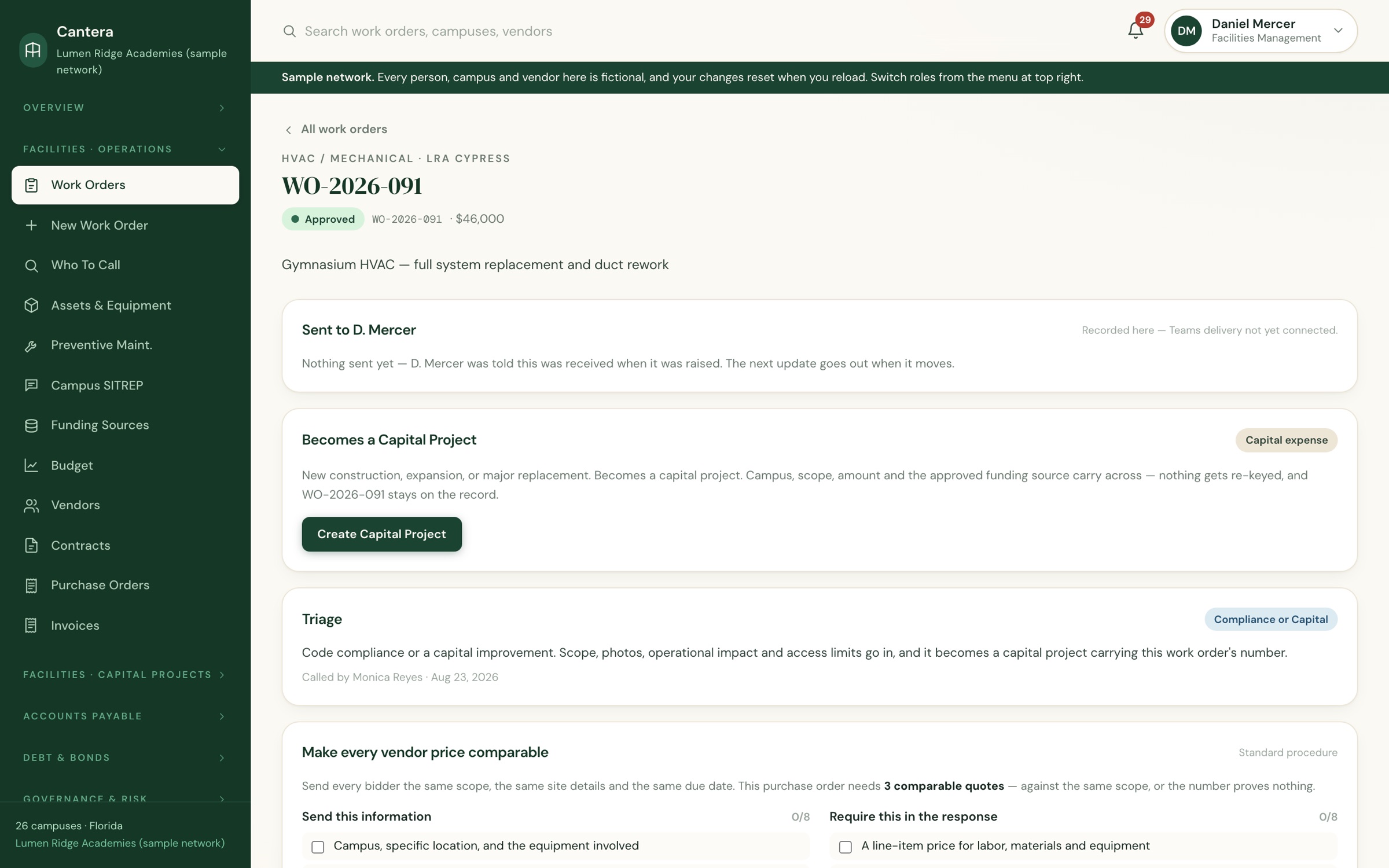
A work order showing its owner, triage decision and the quote-preparation checklist
Who to call

Something’s broken. Here’s the number.

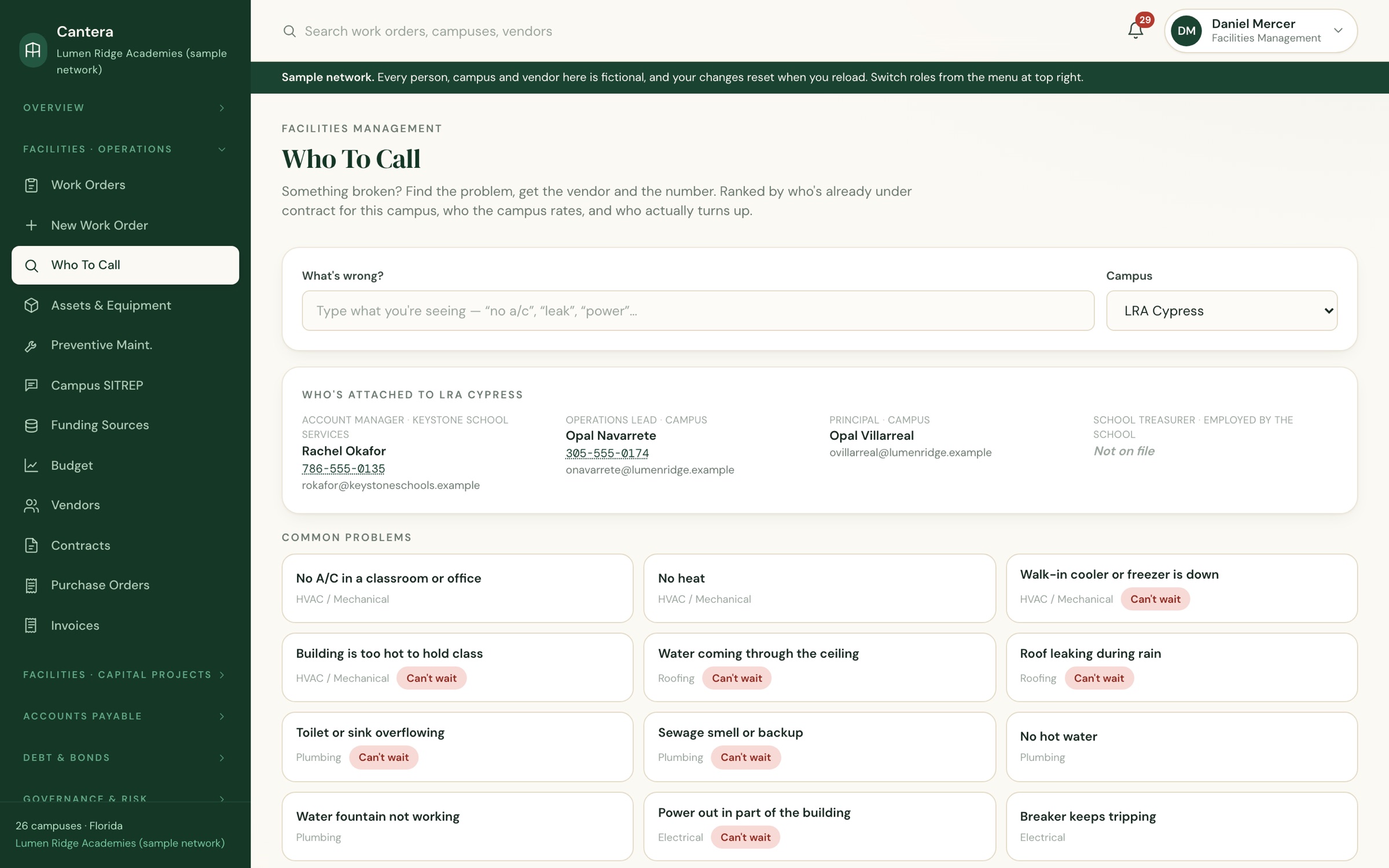
Describe the problem in plain words and Cantera shows who to call for that campus: the vendor already under contract, the campus’s own regulars, and the people attached to the building. Urgent problems are flagged before anyone wastes a morning.

  • Emergency call chains for every campus
  • Suggests whether the campus fixes it, dispatches it, or hands it to Facilities
  • Vendor checks before anyone sets foot on site: licence, insurance, clearances
Who To Call: common problems for a campus, with the account manager, operations lead and principal listed
Purchasing

Controls that hold, without the paperwork

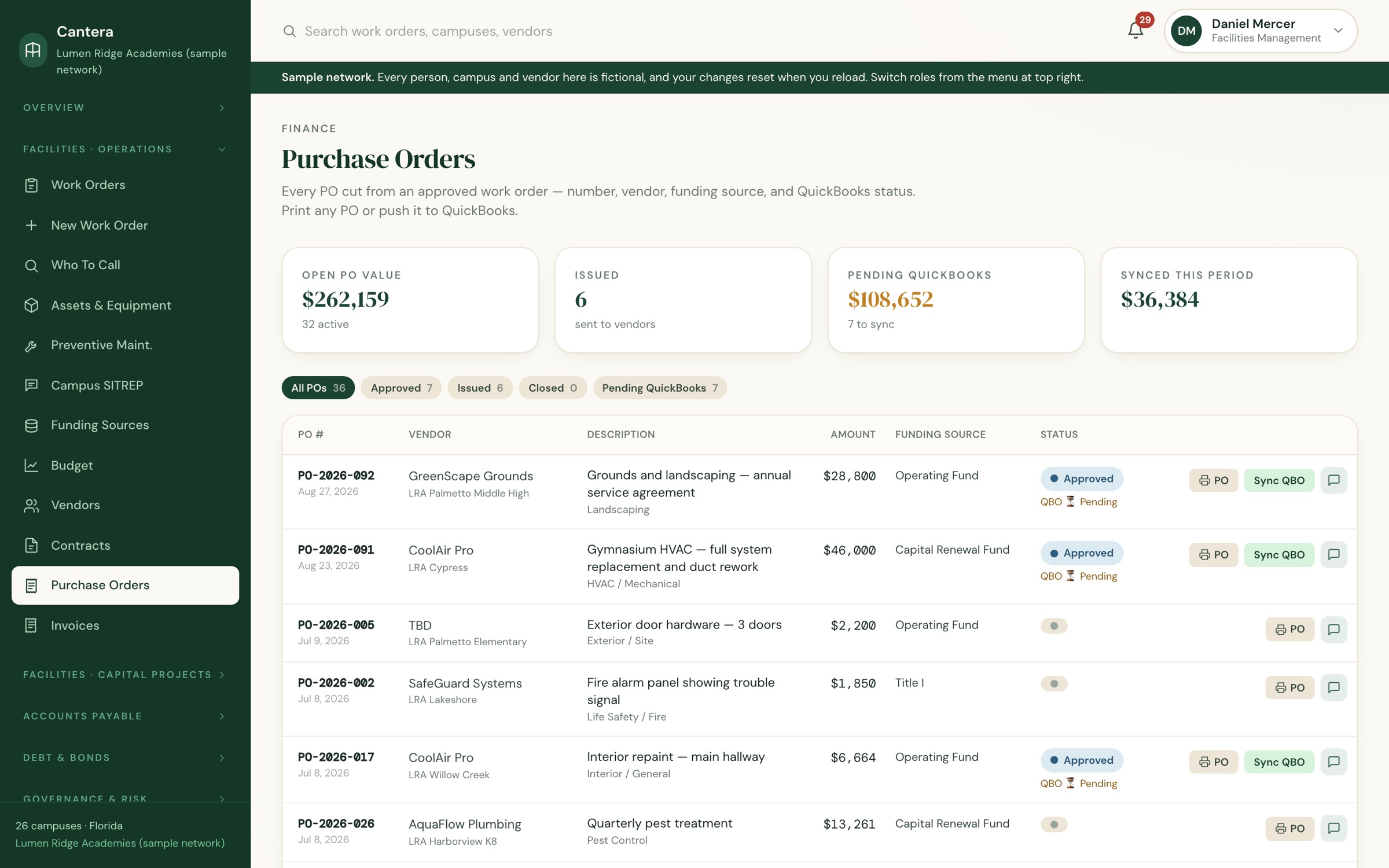
The quote rules are enforced, not just written down: none for small campus purchases, two comparable quotes in the middle, three above your threshold. Approval takes Facilities and Finance by default, and approving a PO commits the funding source.

  • Named approvers with optional dollar limits
  • Invoices checked against the approved proposal before Finance pays
  • Printable purchase orders, numbered from the work order that started them
Purchase orders with vendor, funding source, amount and approval status
Compliance, in any state

See every campus’s obligations at a glance

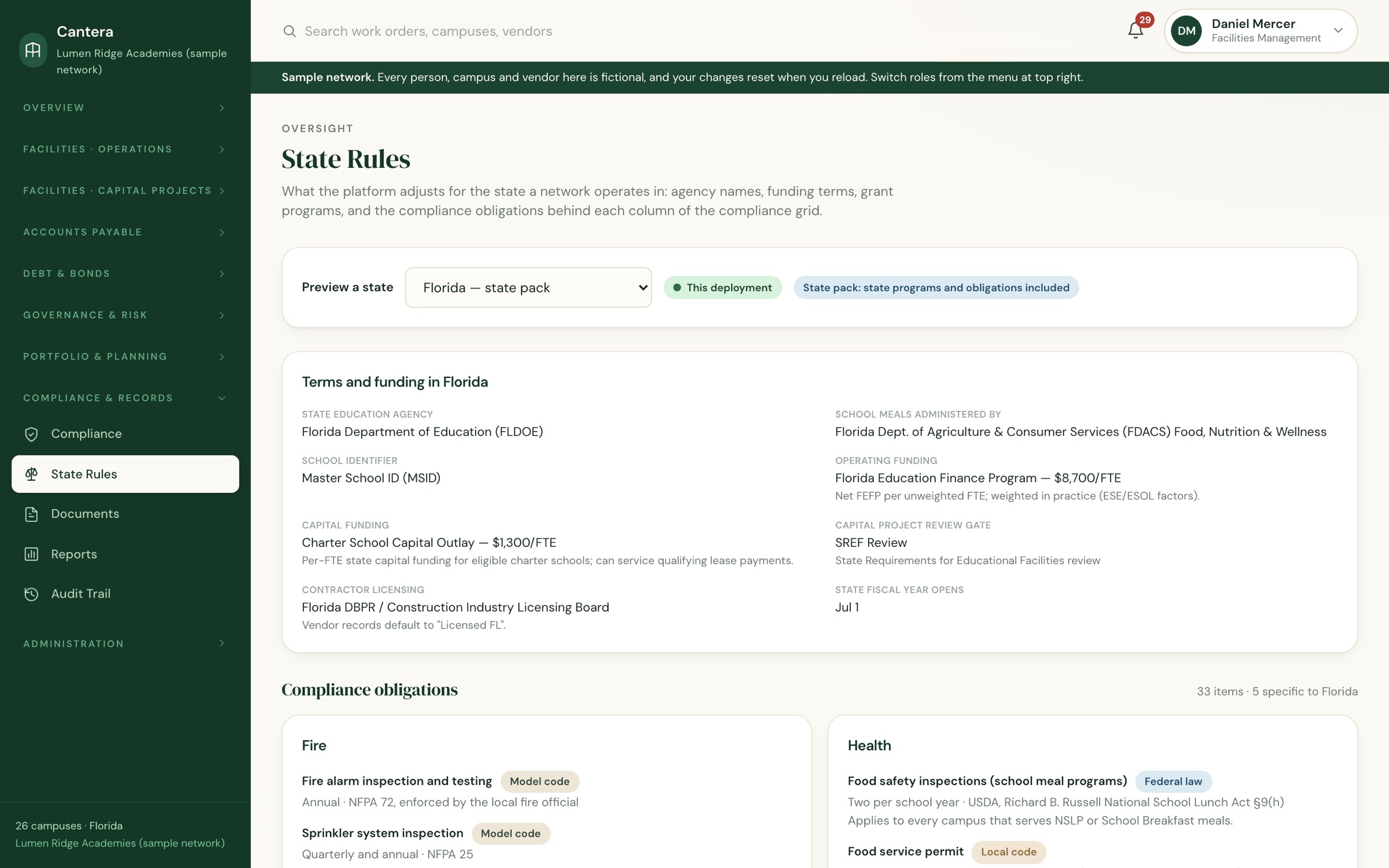
An eight-category compliance grid covers every campus, with each obligation behind it listed: fire, health, environmental, water, mechanical, licensing, playground and building recertification. The national requirements are built in for every state. Your state’s own terms, agencies, funding and grant programs are added on top.

  • Works in all 50 states and DC; Florida’s rules are already built in
  • Each obligation tagged as federal law, state law, local code, model code or guidance
  • Pick your state in the demo to see what changes
State Rules page showing a state's education agency, funding terms and compliance obligations
Guided walkthrough

Train a new hire in ten minutes

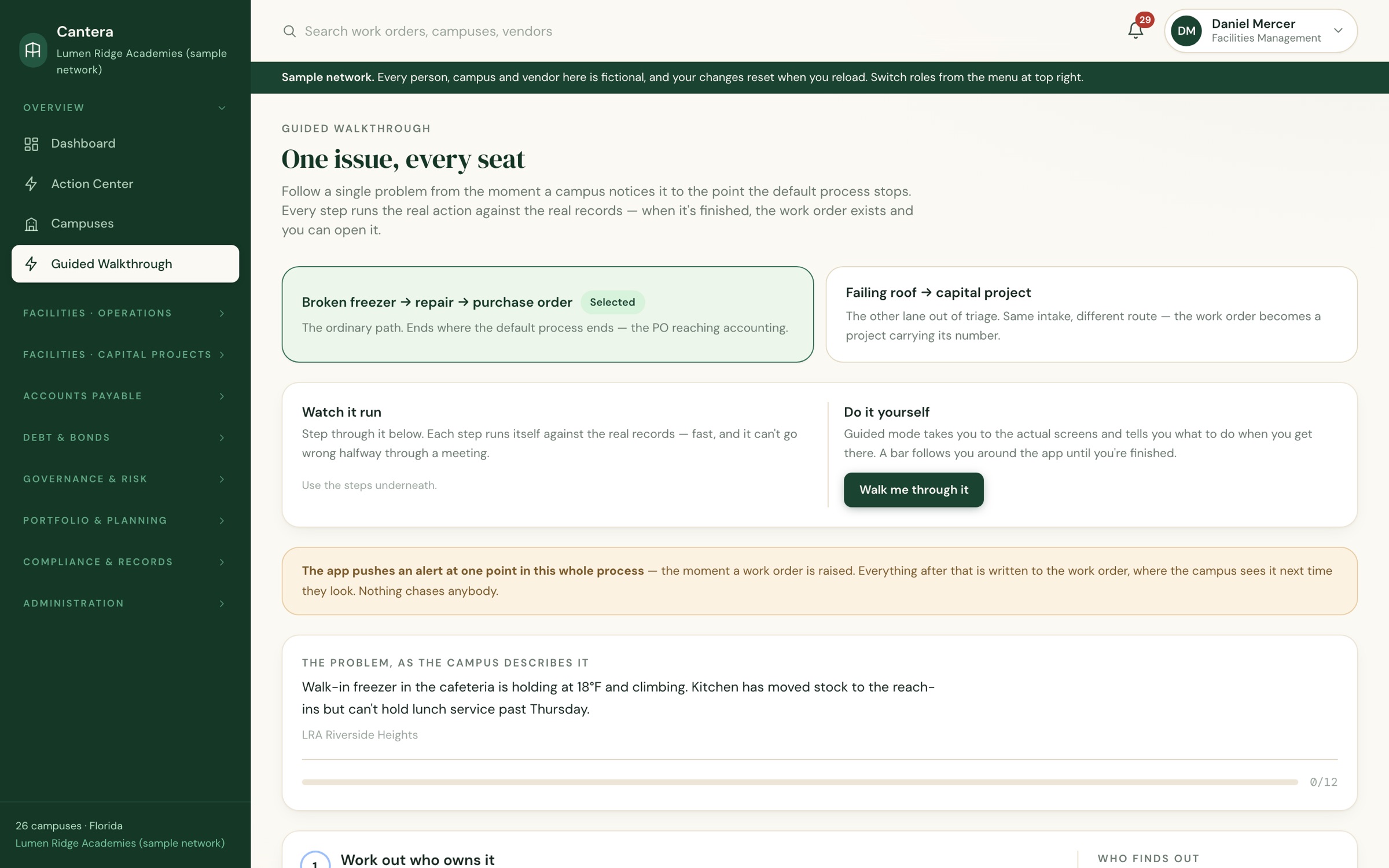
Follow one real problem from the campus that notices it to the purchase order that pays for it, switching seats at every step. Every step is the real action on the real records, so new staff learn the process and the software at the same time.

The guided walkthrough: a broken freezer followed from report to purchase order
Also in the box

Built for how a network actually runs

Capital projectsPhases, review gates, budgets, documents and pay applications.
Bonds & debt serviceRequisitions, covenants, coverage ratios and days cash on hand.
Assets & maintenanceEquipment, warranties, QR tags and preventive schedules.
BoardAgenda items, thresholds and a printable board packet.
Contracts & e-signatureRenewals, signing authority and board approval gates.
GrantsA live federal opportunity feed, a program catalog, awards and reporting dates.
Enrollment & leasesCapacity, per-pupil revenue and lease obligations by campus.
Audit trailWho did what, when, on every record.
Your rules, your people

Each role sees its own view. Each network sets its own rules.

Approvers, dollar limits, escalation windows, regions and even what your facilities team is called are configured for your network, not hard-coded. Campus staff see their own campus; leadership sees everything.

Facilities managementOperationsCompliance Regional VPsRegional directorsCampus coordinators AccountingExecutivesAuditors

See it with your own campuses in mind

Click through the demo on your own, or book a walkthrough and we’ll show you how Cantera would be set up for your network and your state.